
Installing numerous apps solely to access various complications can be tedious. Complications Set offers a collection of more than twenty complications and two tiles for your Wear OS smartwatch, so a single install can fill every slot on your watch face: the date, your battery levels, your volume, quick shortcuts, and a few just-for-fun ones.
If you require a specific complication, feel free to let me know.
What’s inside
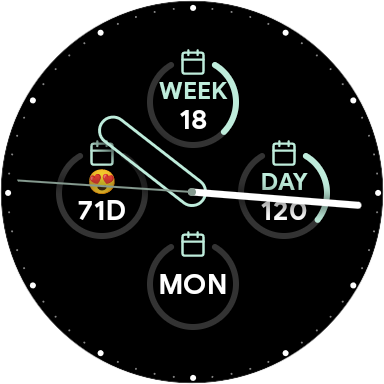
Calendar
Know where you are in the year at a glance.
- Day of the week, day of the month, and day of the year
- Week of the year
- Countdown to a date you choose, with your own emoji
- Custom date: write your own date pattern
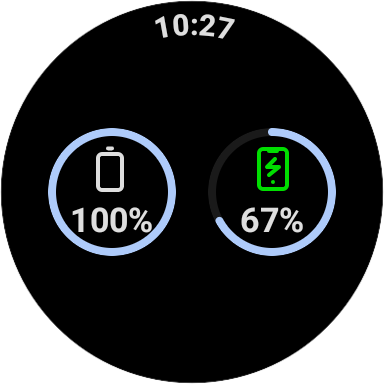
Battery
Keep an eye on both batteries without leaving the watch face.
- Watch battery
- Phone battery, with a charging indicator

Volume
Tap a complication to open a screen with − and + buttons for each volume, and switch between silent, vibrate, and sound.
- Media, call, ring, and alarm volumes
- Ringer mode

Shortcuts
One tap from the watch face to the screens you keep digging for.
- Display, Wi-Fi, apps, accessibility, and developer settings
- Recent apps
- Any watch app you pick
- Your phone’s hotspot toggle
- A tile that gathers the settings shortcuts in one place
The recent apps shortcut uses an accessibility service, and the app explains why and asks for your consent before it’s enabled.

Photo gallery
Put your own pictures on the watch face.
- Photo complications, each showing the image you choose
- A tile for browsing your photos
- A picker to select images from the watch gallery


And a few extras
A tap counter you can use for anything, the current phase of the moon, how many notifications are waiting, a flashlight, a small audio player, and the Bluetooth devices connected to your watch.
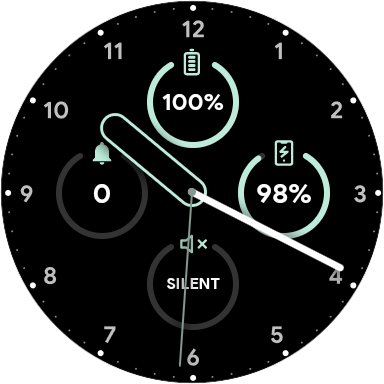
Mix and match
Every complication works on any watch face that supports Wear OS complications, so you can combine them however you like: battery, ringer mode, and alarm volume side by side, for example.
Privacy Policy
Complication Sets app doesn’t collect any user data. All data are hosted locally on the device.